Lexus CT200h Forums banner

Apple CarPlay on Lexus CT200H? Too good to be true?

91K views 56 replies 24 participants last post by  SB1500  
Indeed that one looks promising @mcbretttetettet. There are two videos with detailed install instructions and a review about it:

The manufacturer also has a YouTube channel showing the device:

I'm actually in touch with the vendor and about to purchase one. Got the following quote yesterday:
"1x 10.25" HD Android head unit for 2012 CT200h with factory/OEM NAV: US$599
1x wired + wireless CarPlay AND Android Auto: US$60
Shipping cost to Canada US$93 by UPS

Total: 599+60+93= 752 USD

bank transfer or western union payment is entitled to 15% discount for goods cost = US$653.15"

A decent NAV system is a must in any car imo and the GROM Audio still seems to me like a way better-polished product up to a point that I was happy to spend the money... This one I'm not too sure... boot time is ridiculous, mouse does not work with Android and some other quirks... but since my only other option was trading my car for a 2014 (or leasing a UX250h :p) I decided to take my chances and just go for this one...
Yikes at that price. Shame about the GROM audio option no longer being supported. Let me know your experience if you decide to move forward. I saw pioneer has announced some "modular" android auto/apple play units but the compatibility and install process is way over my head.
 
I've never seen it anywhere, but did you look up the GROM VLine 2, or the carlinkit ? They both work the same and are cheaper. (the GROM VLine 2 has the advantage of having a full step by step video made by the maker :) )
Unfortunately, GROM has stopped making the VLINE for the CT200H. Apparently, it had too many issues and they didn't feel like it was worth looking further into. I wasn't aware of this carlinkit option. Does anyone know if it would work on a 2012?
 
I found a better one guys. I'm ordering now.

How much was it? Please keep us posted on your experience.
 
Grom unit has no support for Gen 1. This one was bought from malaysia. The facebook page name is JP car audio & electronics. This works both on apple car play and android auto.

The seller gave me instruction on the configuration. But there is no need to configure anything. The rest are plug and play except for the grounding needed to do which i mentioned further in this post.

The actual dismantling of the car panels and installation was not provided by the seller. Luckily, the beat sonic ct200h installation was available in youtube. I used it as a guide when installing the car play unit because they have explained clearly on what tools you need, no. of screws to remove and how to carefully take off the panels.
View attachment 60706

The only instruction the seller gave is where to connect the wires provided
View attachment 60709
There is an excess cable in the package that was meant to fit the latest gens of the navi and other lexus brands. This is for the display bypass. But since i have the first gen navi (2011-2012ish), the cable below was not necessary.
View attachment 60705


One thing you needed to do is to buy an aux cable because the carplay sound is dependent on aux (no need to plug the other end of the aux to your phone). Once you plug the aux in the port and activated, there is no need set it up again in audio in the oem system. It will automatically sound up once the carplay pop up in the oem display. Also, remove the bluetooth pairing on the oem system and on your phone so your bluetooth connection will only focus on carplay. You can use other 3.5mm jack but you need to ground it up.
View attachment 60703

One thing i’ve noticed that there are static noises and the carplay sound quality is really bad. I tried to diagnose if my aux port was messed up but it was not. But i figured it out that the aux cable just need some grounding and fixed the problem. The other end of the aux cable should be connected to any ground. I tried to ground it in the carplay unit ground wires and it worked. But any ground point should be okay.
View attachment 60704

I placed the unit behind the glove box as shown in the video by the beat sonic guys
View attachment 60707

After installing this unit, the only downside was the steering wheel controls. The volume function is working, the rest is not. Im still communicating with the seller for any fix available.

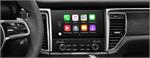
Overall, the experience was really satisfying with the carplay unit. Every time i get inside the vehicle with the phone inside my pocket, it connects automatically and wirelessly. Carplay will also automatically pops up in the display without any inputs from me. Just need about 20-30 seconds to load after starting the car. Oem reverse camera got a little bit of delay of few seconds when you are in carplay mode.

I’m just an average diy-er and installing this kind is an achievement. I just want carplay and it happily delivered my expectations.
Tools and other stuff needed:
Screwdiver
10mm socket
Plastic trim remover
Wire stripper for the ground
Aux cable (1m length should be more than enough)
Thanks for the update. Sounds like it is the way to go for 2012-2011. How much did the unit cost?